The jacket that keeps talking after the printed notes stop.
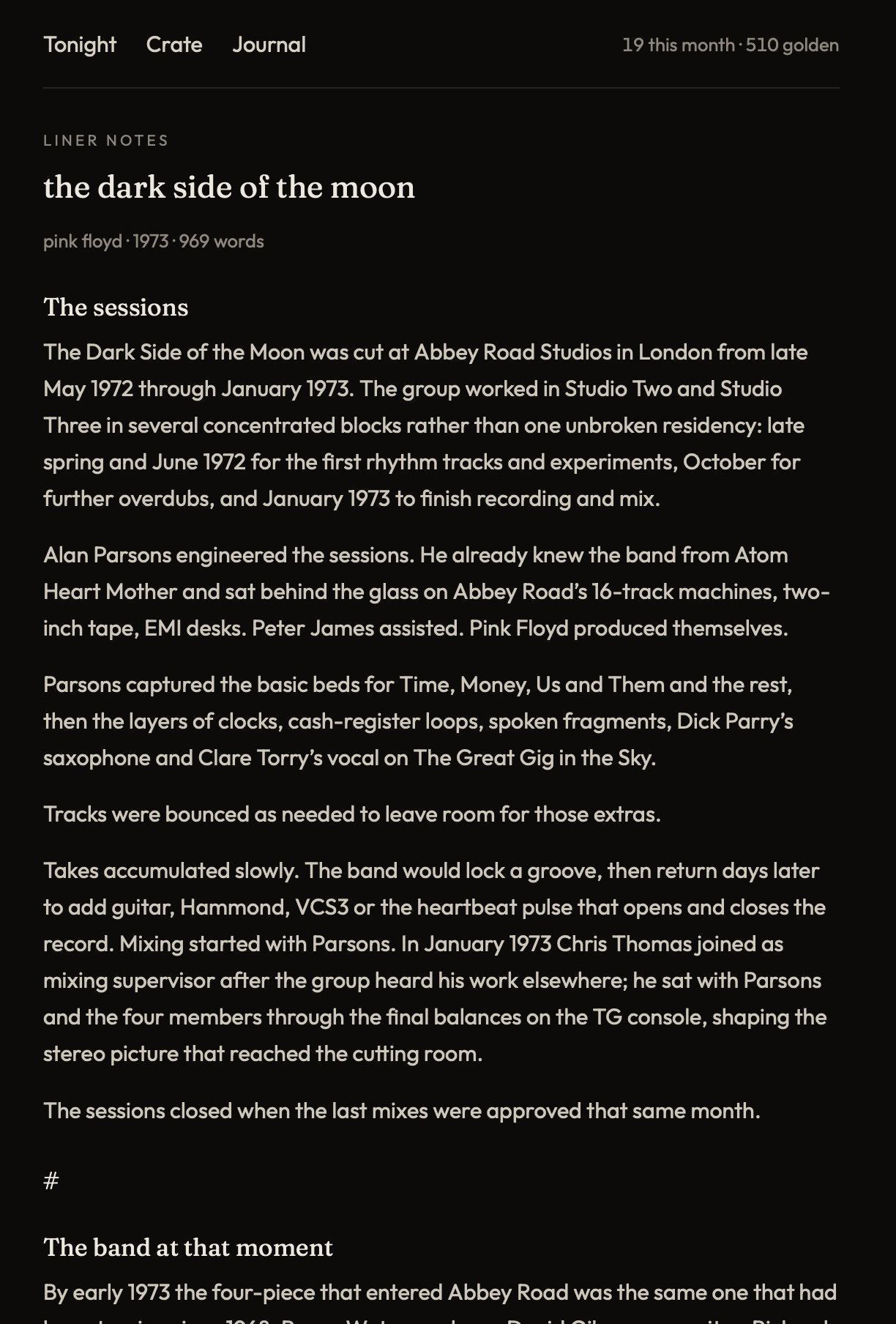
Liner notes are the essay in the jacket — generated for the album on the platter, to read while it plays. Sessions. The band at that moment. Production and the cut. Side A. Side B, and after. Beyond what is printed on the physical sleeve. Writing them is three points toward Vouched for that album.
Why this is for vinyl people
Physical liner notes stop. Pressing info, a thank-you list, maybe a photo. Crate keeps talking after that: the room they recorded in, who was in the band that year, how the cut feels. You read it with the side on, not on the bus between playlists.
How you write one
- Put a copy on Tonight.
- Tap Open liner notes. Or log a spin — Crate often takes you to the jacket after.
- Tap Write this sleeve. That spends one note, once. Keep the page open while the five pages set.
- After that the jacket is on your shelf. Forever. Opening it again does not spend another. Writing it is three points toward Vouched. Recommend the record for one more each time. Highest total holds Vouched. A tie keeps the holder. Spins do not count.
On Tonight and on the sleeve: Vouched · Name. Hover the name. If they recommended the album, you see their last sentence. If they only wrote the liner notes: “[Name] wrote the liner notes.”
Write my own copy
Crate’s jacket stays. After it exists, tap Write my own copy. That is yours. No note spent. Open the sleeve later and your copy is on top. Toggle back with Restore system liner notes.
Check Share my copy if other listeners who own the same album should be able to read it. They can cycle listener copies, then restore Crate’s jacket. Uncheck and only you see it.
What the notes cost
One note writes one album. The number at the top of the screen is what you have left. It drops when the liner note is first written, not when you re-read it. How notes, golden notes, membership, and invites work is the Notes User Guide.
Join and buy from the liner notes page when a record is on. Open liner notes if tonight already has a copy.